How to use Loadex
Loadex has a lot packed into it, and some of it lives inside overflow menus and submenus rather than sitting on the surface. This page walks through the main areas. For account, billing, or troubleshooting questions, see Support.
Getting started
How do I create a workout?
Go to the Programs tab and tap the plus button, or start from one of the starter templates (Push, Pull, Legs) shown when your list is empty. Add exercises from the picker, then set target sets, reps, and weight for each.
What is the difference between a Program and a Workout?
A Program is a folder that groups related workouts together (for example, “Push Pull Legs”). A Workout is the actual routine, exercises, sets, and targets, that you log sessions against.
How do I link exercises into a superset or circuit?
Open an exercise's overflow menu (the “⋯” button) in the workout editor and choose to link it with the next exercise. Two linked exercises form a superset, three or more form a circuit. Linked exercises share one rest period between rounds instead of resting after every set.
Logging a session
How does the rest timer work?
Completing a set automatically starts the rest timer for that exercise. It keeps running through a locked screen, and you get a notification (Android) or a Live Activity (iOS) when it finishes. Adjust a running timer with the +/- buttons in the top bar.
Where is the plate calculator?
Long-press the weight field on any barbell-based set to see exactly which plates to load per side.
What is the warm-up calculator?
Open an exercise's overflow menu during a session and choose Warm-up to generate a ramp-up scheme (40/55/70/85% of your top working set) leading into your first working set.
Can I set a different rest time per exercise?
Yes. Set a default rest time for the whole workout, and override it per exercise from the workout editor if needed.
Auto-progression
How does auto-progression work?
Pick a scheme per exercise, Manual, Linear, Double Progression, Percentage-Wave, or Top Set and Back-off, and Loadex calculates your next session's target weight and reps from how your last session went. You'll always see the suggested target before you lift, and you can override it any time.
Where do I set the progression scheme for an exercise?
In the workout editor, open the exercise’s overflow menu and choose Progression.
How do I tell what changed and why?
The Progression Report in Insights lists every engine-managed lift with what advanced, what held, and where a lift has stalled across three sessions, with a one-tap deload for the ones that have.
Conditioning & Stretching
What is the Conditioning & Stretching card?
On the Workout Preview screen, before you start a session, Loadex can generate a cardio circuit, a stretch and mobility routine, or both. The cardio is routed around the muscle groups your lifting is about to fatigue, and the stretches target the ones you just trained. It's shown before you lift, so there are no surprises mid-session.
Can I change the conditioning after I start the workout?
No, once a session starts, the conditioning block is locked for that session by design, so the full session is always visible upfront. Regenerate it from the Workout Preview screen before starting instead.
How do I turn conditioning on or set my equipment?
Settings → Conditioning: choose a mode (Off, Cardio, Stretch, or Both), pick your available equipment, and set a target duration.
Is it available on the free tier?
Yes, on two workouts a week, reset every Monday. Regenerating a block before you start costs nothing, since the allowance is spent when you start the workout rather than when a routine is generated. Pro removes the weekly limit.
Health & wearables
What does connecting Apple Health or Health Connect do?
It lets Loadex read your sleep, HRV, resting heart rate, and respiratory rate to flag when today's planned intensity might be worth easing, and optionally write each session's estimated calorie burn back to your health data. Turn it on in Settings → Health & Wearables.
What if I don’t wear anything to bed?
The one-tap check-in on the Workout Preview screen works on its own. It scores your answer against your own past answers, so whichever option you usually pick becomes your normal.
Does a low readiness score change my workout?
Only if you turn on target adjustment in Settings → Health & Wearables. It eases planned weights, scaled by movement pattern so compound lifts move more than isolation work, and the session screen has an Undo that restores the original targets exactly.
Does my health data ever leave my device?
No. It’s read and written entirely through your device’s health platform, and never sent to Loadex’s servers.
Insights & analytics
Where do I see my training data?
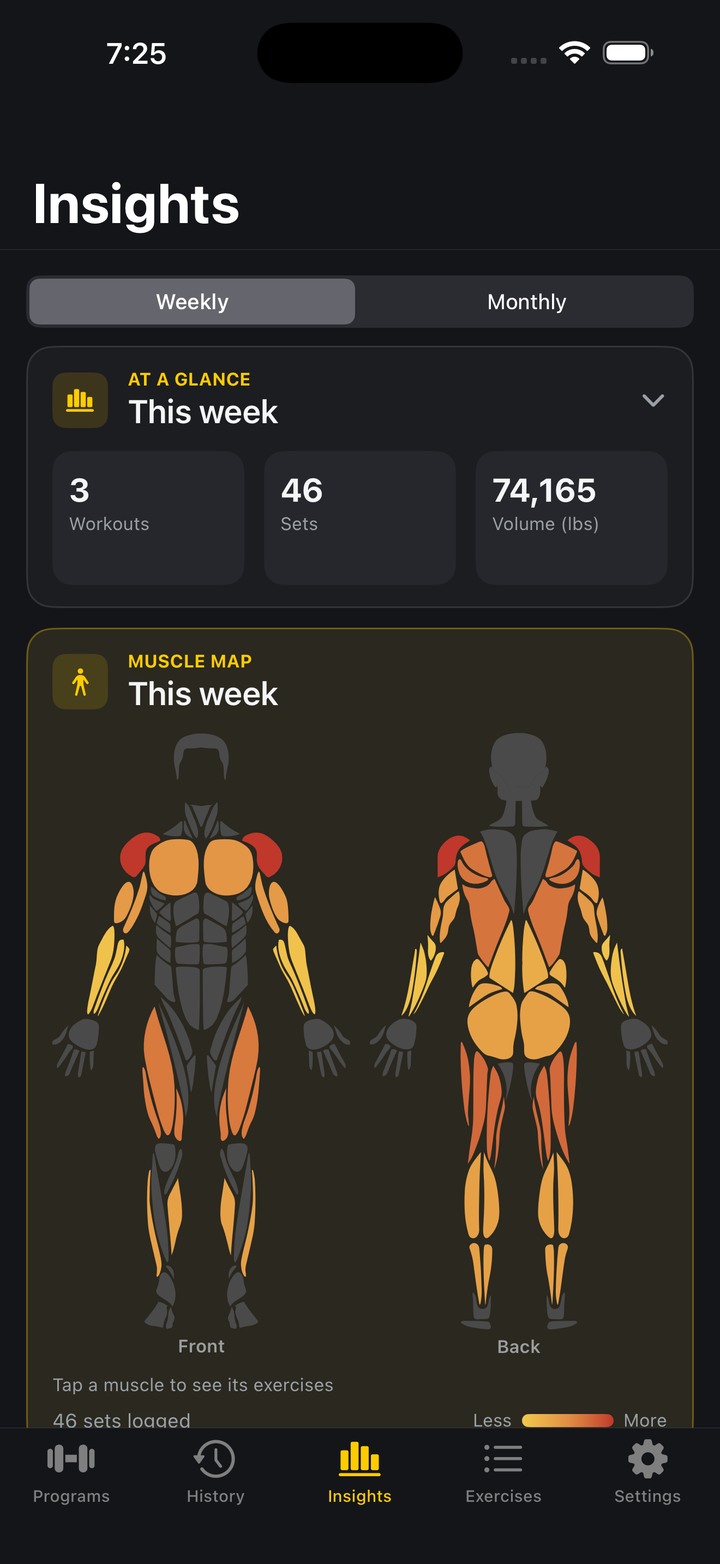
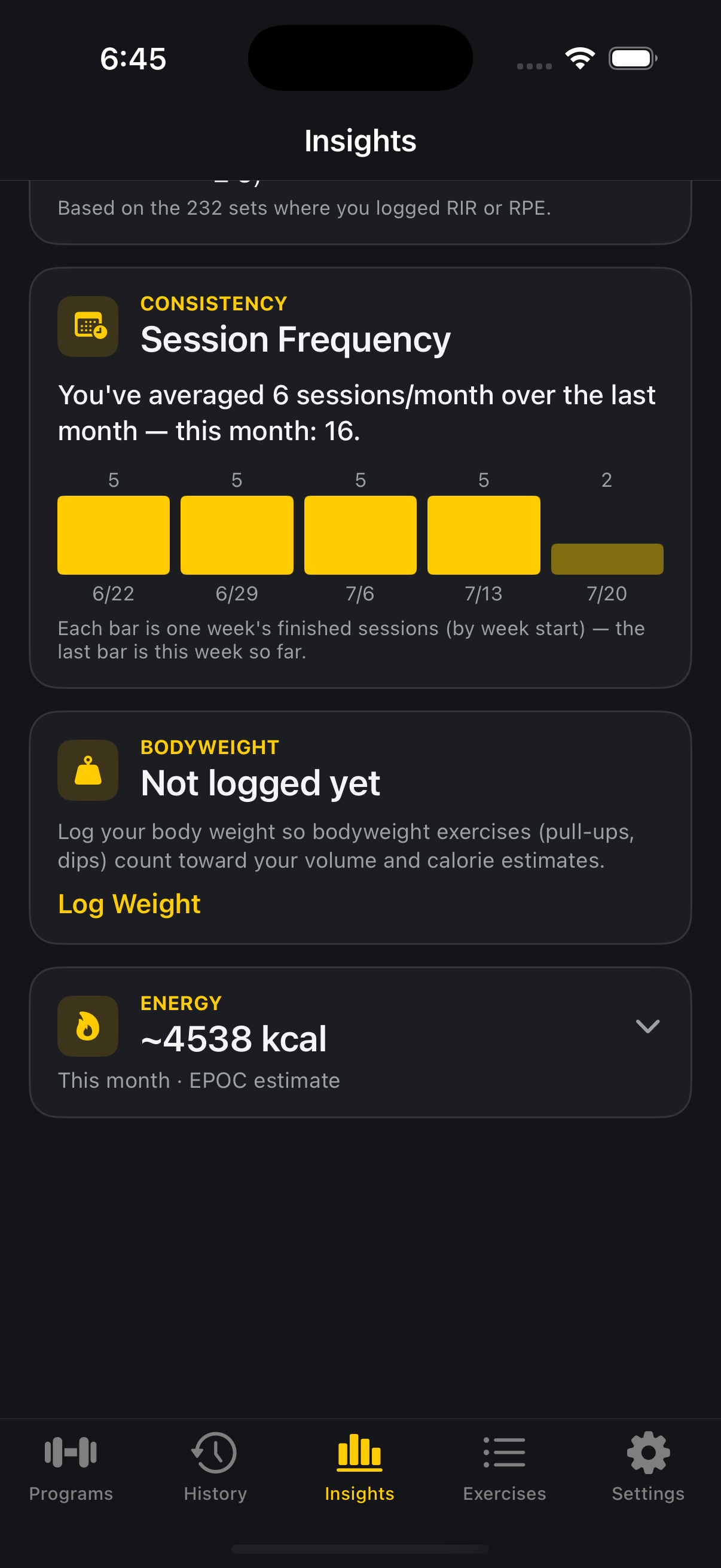
The Insights tab. Use the Weekly/Monthly toggle at the top to change the period most cards use.
What is the muscle heatmap?
A front-and-back body diagram shaded by how much you’ve trained each muscle group recently. Tap a muscle to see which exercises contributed.
What is the Coach card?
A plain-language review of your training, wins, trends, and a suggestion for what to try next, generated from your own logged data. Turn it on in Settings → Smart Features → Weekly Coach (Off, Manual, or Auto).
What are Volume Landmarks, Training Load, and Monotony & Strain?
These compare your weekly training volume and load against general hypertrophy guidelines and your own recent history, flagging when a muscle group may be undertrained, or when volume is climbing without enough variation to recover. Tap a card to expand it for the full explanation.
Can I see my strength progress over time?
Yes. The Strength card shows an estimated one-rep-max trend for your top lifts. Use the chip row to switch which lift it’s showing, or tap History for the full log.
Where can I see my full workout history?
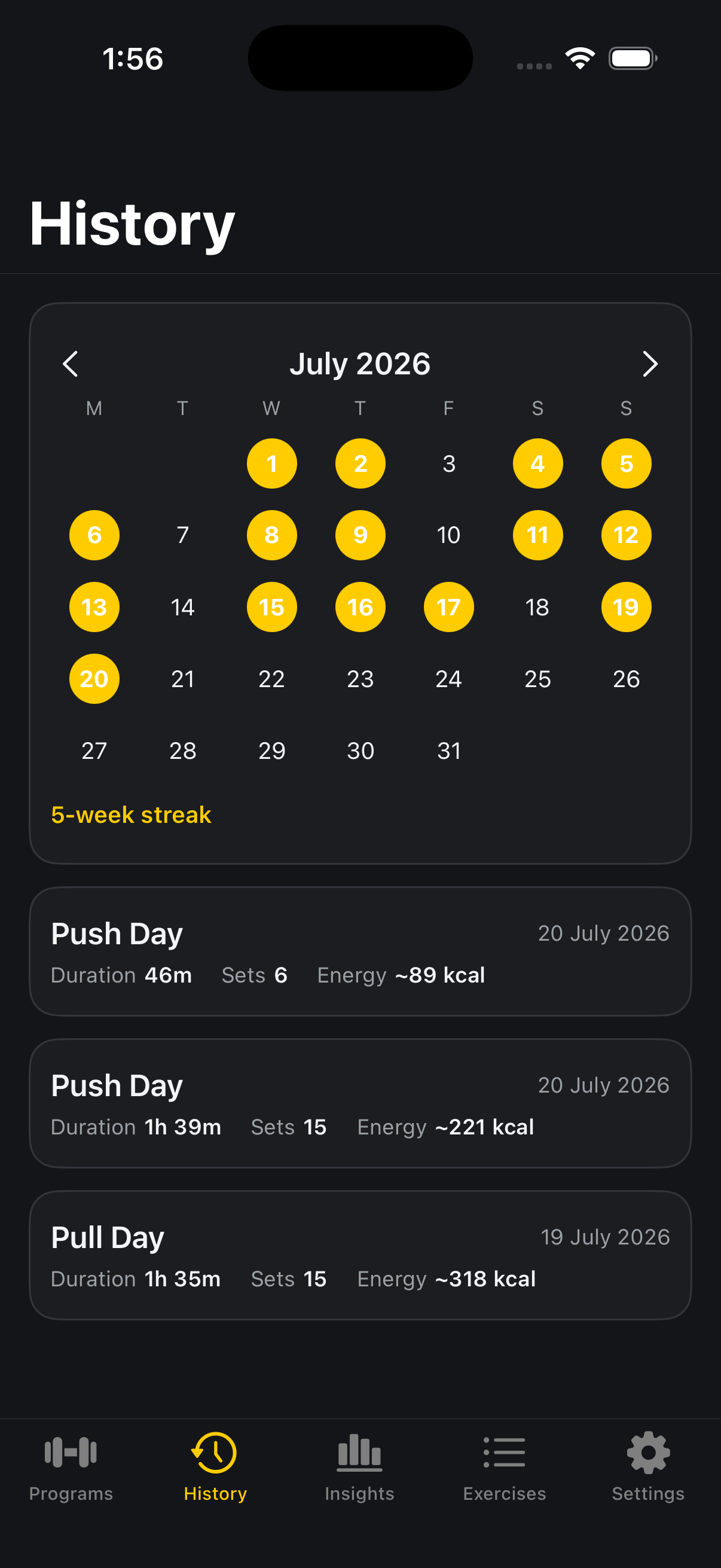
The History tab shows every logged session on a calendar, with a running streak alongside it.
Exercise library
How many exercises are in the library?
Over 800, browsable and searchable in the Exercises tab.
Can I create my own exercise?
Yes. Tap the plus button in the Exercises tab to create a custom exercise with its own name, equipment, and muscle groups.
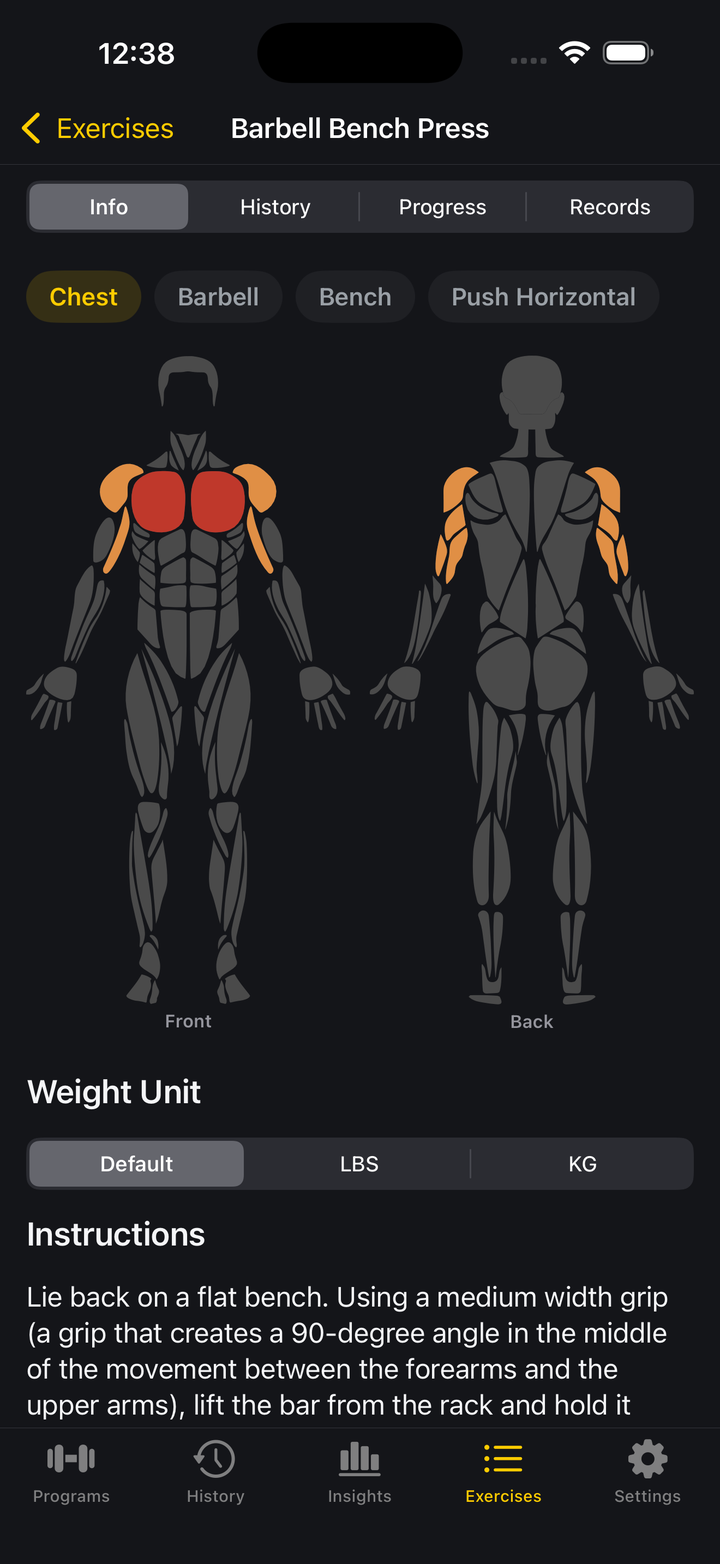
What is the muscle diagram on an exercise’s page?
It shows which muscles that exercise works primarily (red) and secondarily (orange).
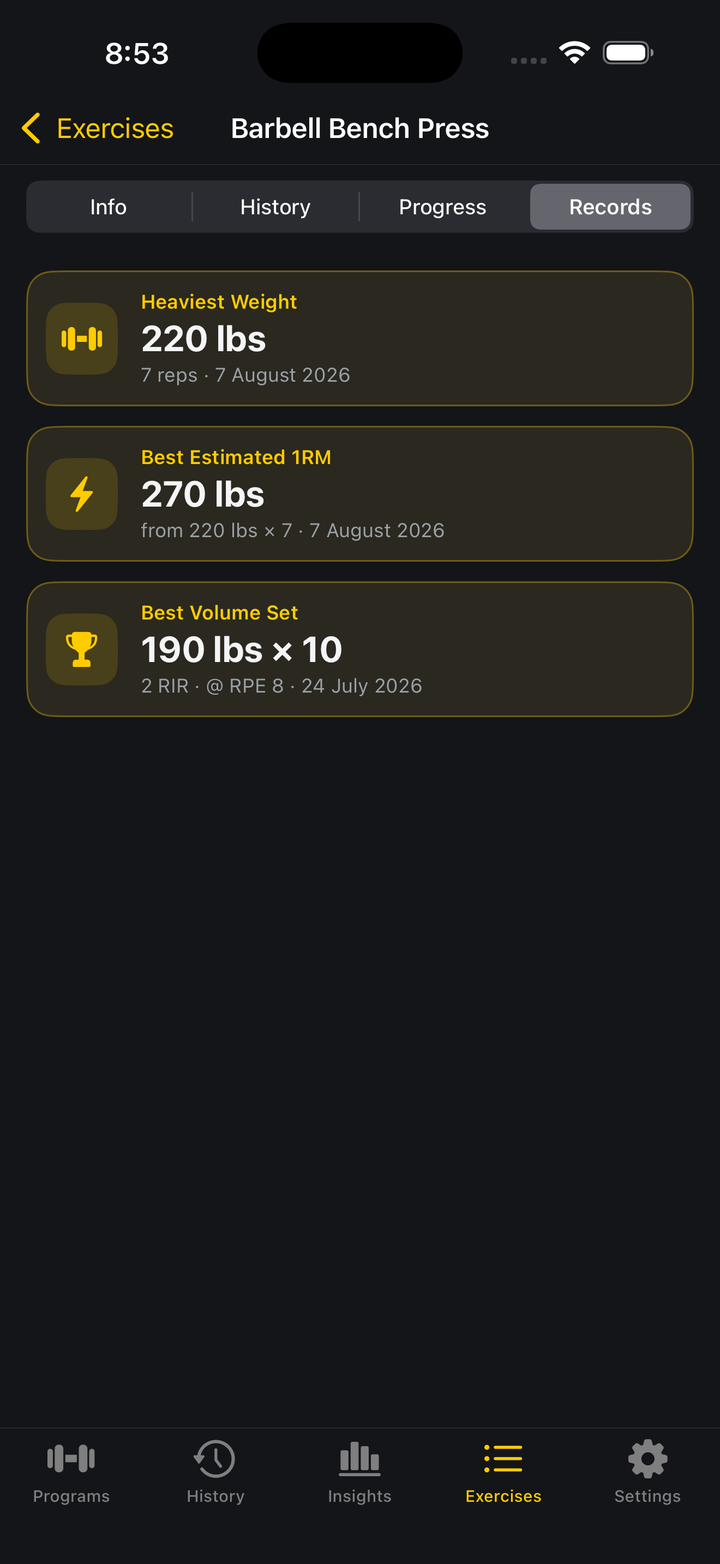
How do I see my personal records for an exercise?
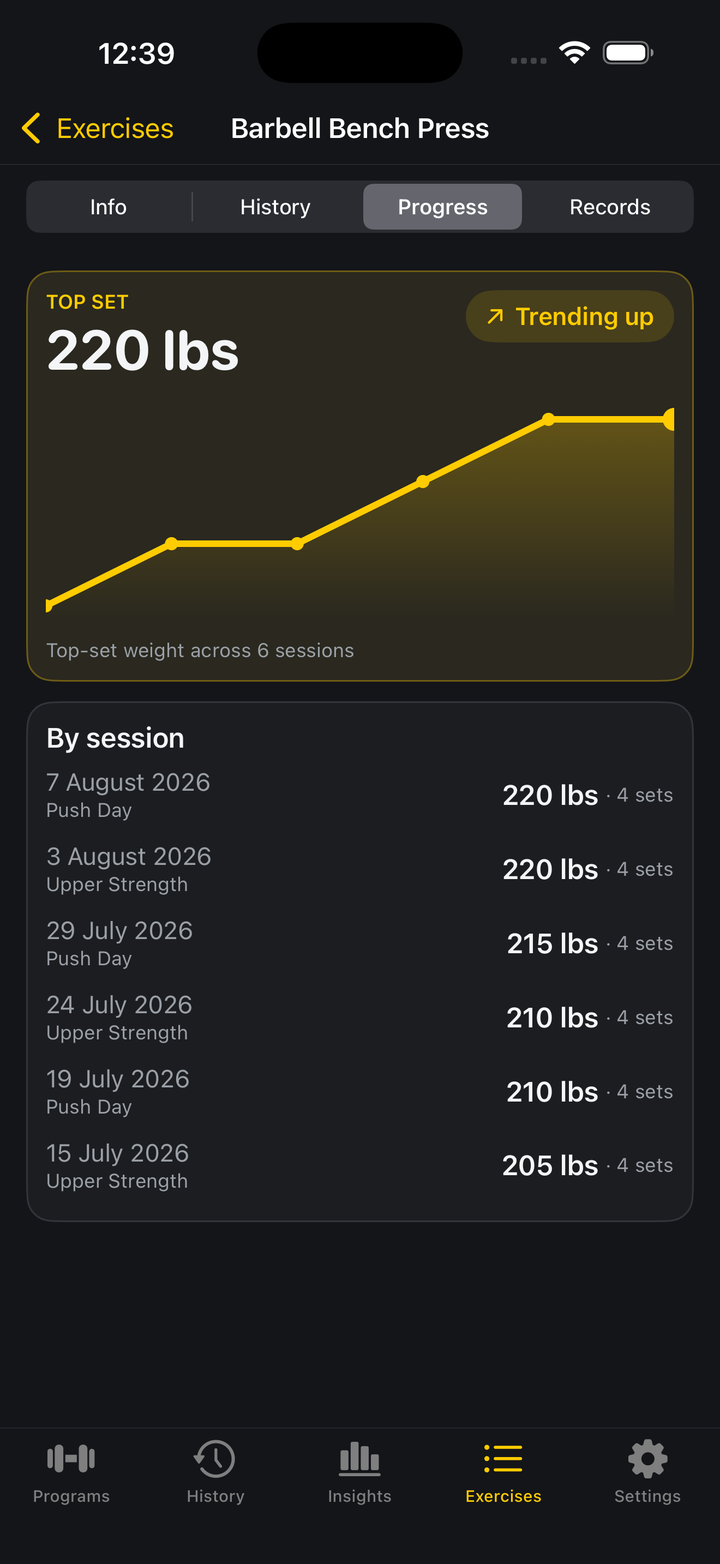
Open any exercise and check its Records tab for heaviest weight, best estimated 1RM, and best volume set, updated the moment you beat them.
Sharing workouts
Can I share a workout with someone else?
Yes. Open a workout and use the share option to generate a link. Whoever opens it can import the workout into their own Loadex library, choosing which program folder to add it to.
Account & backup
Do I need an account to use Loadex?
No. Every core feature works without signing in. Signing in with Google or Apple is optional and only enables cloud backup across devices.
How do I get all my data out?
Settings → Account → Export My Data downloads every workout, session, and setting as a JSON file.
Loadex Pro
What does Pro unlock?
Unlimited workouts and program folders (the free tier is limited to 4 workouts and 1 program), the Double Progression, Percentage-Wave, and Top Set and Back-off schemes, unlimited conditioning, and the predictive side of Insights: the Coach review, training load and monotony tracking, recovery correlation, and next-session guidance.
What do I get without paying?
Unlimited logging, unlimited history, the full exercise library, the Linear and Manual progression schemes, and the record side of Insights: the muscle heatmap, sets by body part, volume landmarks, strength trajectory, muscle balance, consistency, bodyweight, and energy trends.
What does it cost?
$7.99 a month or $39.99 a year.
How do I manage or cancel my subscription?
Through your Apple ID or Google Play account settings, not through Loadex directly, see the Managing your subscription section on Support for exact steps.